How to Redeem Arabian Keyboard Codes
PC and mobile UI steps, common errors, and what to do after Speed lands.
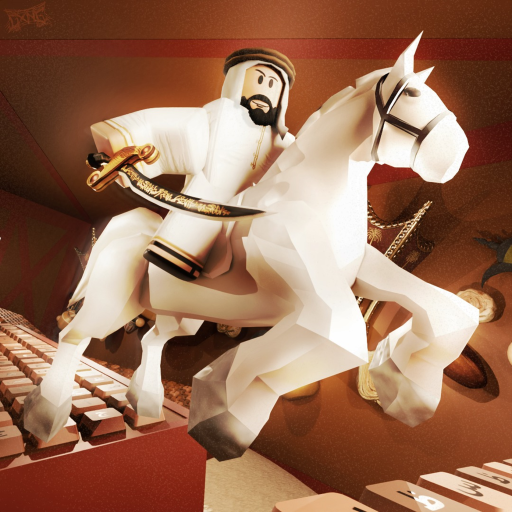
Redeeming codes in Arabian Keyboard takes under a minute once you know where the Code button sits. This guide walks through PC and mobile flows for the VFB Studios Roblox map so free Speed actually reaches your account.
Before you redeem
- Launch Arabian Keyboard from the official Roblox listing (linked on our official links page).
- Wait until your avatar fully loads on the Arabic-themed keyboard map.
- Keep a code ready from the active codes table—or prepare to claim a Free gift instead.
- Optional: note your current Speed and Wins so you can confirm the reward applied.
PC / desktop steps
- Spawn into the map and dismiss any first-time tips.
- Look for the Code button along the left or top of the screen (near other menus such as Shop, Trails, or Settings).
- Click Code to open the redemption panel.
- Click the text field and paste the code exactly—no extra spaces.
- Press OK / Redeem / Confirm.
- Watch your Speed (or Wins) counter update. If nothing changes, see troubleshooting below.
Mobile steps
- Open Roblox on iOS or Android and join Arabian Keyboard.
- Rotate to landscape if UI icons feel cramped.
- Tap the Code icon (often a ticket or “Codes” label).
- Long-press to paste if your keyboard hides the field.
- Confirm, then wait a second for replication—mobile sessions can lag on busy servers.
Redeeming Free gifts instead of typed codes
Many sessions will not have a typed code. After liking the experience or joining the VFB Studios group:
- Rejoin the server so ownership flags refresh.
- Look for a Free, Gift, or claim button near the Code UI.
- Claim once per account.
- Continue into how to get Wins so the Speed converts into progression.
After a successful redeem
Do not idle at spawn. Convert the gift:
- Run a short stage loop to feel the new Speed.
- Check whether a Rebirth prompt is closer—see progress fast.
- Open the speed planner if you want a rough session target.
- Avoid panic-buying the cheapest Trail; consult the trails tier list.
Troubleshooting
| Problem | Likely cause | Fix |
|---|---|---|
| Invalid code | Typo, wrong game, expired | Re-copy from active codes, confirm VFB Studios map |
| Already redeemed | One-time social or gift | Normal — move on |
| No Code button | UI not loaded / different layout after update | Rejoin, check latest update |
| No reward shown | Latency | Wait 10 seconds, check stats menu, rejoin once |
| Code from another keyboard game | Lookalike title | Only use Arabian Keyboard strings |
Related pages
Return to the Codes Hub for strategy context, keep active codes bookmarked, and practice movement with the controls guide so high Speed does not yeet you off the keys. If you later automate farming, read the Scripts Hub safety notes first.
Why redemption skill still matters
Weekly updates can move UI icons. Learning the redeem habit means you claim event Speed within minutes instead of finishing a session empty-handed. Pair redemption with the Wins checklist so gifts feed Trails and Rebirth instead of sitting unused.
Arabian Keyboard is a released Roblox incremental simulator—codes are optional fuel. Mastering redeem steps keeps that fuel from leaking away on busy Arabic-themed servers.
Teaching a friend to redeem
If you are the experienced player in a group, walk friends through redemption once on voice or chat. Have them screenshot the Code panel after a success so they recognize the UI after the next weekly shuffle. New mobile players especially lose the button under stacked HUDs.
Create a tiny personal checklist: join map → wait for load → open Code → paste → confirm → glance at Speed → run one lane. Muscle memory beats hunting Reddit threads mid-session. When the UI moves, update your checklist instead of assuming the game “removed codes forever.”
Redeeming is a skill adjacent to grinding. It protects event value, reduces scam clicks, and keeps your Arabian Keyboard sessions focused on the Arabic keyboard fantasy instead of account recovery nightmares.
Frequently Asked Questions
Quick answers to the most common questions.
Is the Code button the same on mobile?
Yes in function, but the icon can sit in a tighter stack. Rotate to landscape and look for Codes, Gift, or ticket-style buttons after spawn.
Do I need to rejoin after joining the group?
Usually yes. Rejoin so Roblox refreshes group membership, then claim the Free gift if it is enabled.
Can friends redeem the same public code?
If a multi-use public code is active, each account can usually redeem once. Personal social codes are single-account by design.