Arabian Keyboard Wins Checklist
Tick priorities before you open the shop and empty your Wins.
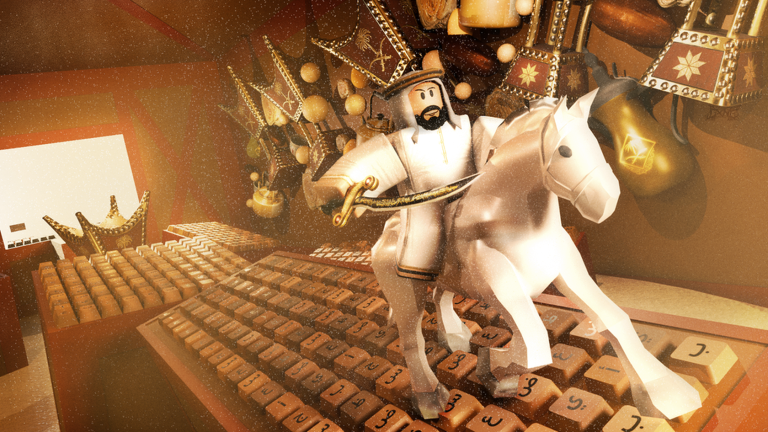
The Wins Checklist keeps Arabian Keyboard shopping intentional. Paste it into your brain before the Trail shop dazzles you with cosmetics on the Arabic-themed map.
Checks save locally in this browser.
Suggested order
- Bank pads using how to get Wins.
- Open this checklist.
- Cross-reference the trails tier list.
- Buy only checked progression items.
- Revisit progress fast if a Rebirth prompt is waiting.
Why checklists beat impulse buys
Wins feel abundant after a lucky Speed spike, then disappear on three mediocre cosmetics. A checklist forces the question: does this purchase raise Speed per step for the next hour?
Sync with codes and passes
If you just redeemed a gift from how to redeem, do not panic-spend. Tick the checklist, then buy. If you own gamepasses, you still want Trail upgrades—see gamepasses.
Related tools
Estimate grind length with the speed planner. Return to the Tools Hub afterward.
Check boxes. Then touch the Arabic keys with a plan.
Checklist stories from common mistakes
Players often check “buy next Trail” but forget “equip strongest Trail.” Ownership without equip is a silent nerf. Others check cosmetics first because the shop sorts by newest. Drag your eyes to multiplier text every time.
Custom lines are perfect for weekly update items—“new emerald Trail?” or “event teleport?”—so the checklist tracks the live patch, not only evergreen advice. Reset checks on patch day to force a fresh brain.
Closing note for this page
Reset checks on patch day so new Trails and event items get a fresh evaluation instead of stale boxes.
Checklist anti-patterns to avoid
- Checking cosmetics first because they sort to the top of the shop
- Buying three tiny Trails instead of waiting ten minutes for an A-tier jump
- Forgetting to equip after purchase
- Spending your entire Wins buffer right before a Rebirth gate you already unlocked
- Ignoring weekly shop changes listed on Latest update
Custom lines shine for events: “new incense Trail?” or “admin gift claimed?” Keep the list short enough to finish in one shop visit. Then return to pads with How to get Wins and measure the next climb with the Speed planner.
Checklist items to tick every session
- Best Trail equipped
- Pads banked before shopping
- Next Trail target written
- Rebirth prompt checked (how to Rebirth)
- Lookalike codes avoided (active codes)
- Weekly patch skimmed (latest update)
Tick these in the interactive tool above, then grind. The checklist exists so Arabian Keyboard shopping stays boring in the best way—predictable multipliers instead of impulse cosmetics.
Add custom rows for event Trails when VFB Studios drops limited shop rows after weekly updates.
Checklist freeze rule
Freeze new checklist rows mid-session. Add ideas after you quit so shopping stays a decision, not a distraction between pads.
Wins checklist deep use
Use the interactive checklist above as a gate before every shop open. If a row is unchecked, close the Trail UI and finish that row first. Arabian Keyboard rewards players who treat Wins like a budget, not confetti. Revisit how to get Wins when pad income feels low, and trails tier list when you are unsure which multiplier row deserves the next stack.
During event weeks, add a dated row for limited Trails so you do not confuse them with permanent ladder buys after the VFB Studios patch window closes.
Page-specific note 1 for tools/wins-checklist.mdx
Stay on the VFB Studios Arabian Keyboard loop described above. Unique focus for this URL: apply the checklists on this page before inventing a new grind path.
Page-specific note 2 for tools/wins-checklist.mdx
Stay on the VFB Studios Arabian Keyboard loop described above. Unique focus for this URL: apply the checklists on this page before inventing a new grind path.
Frequently Asked Questions
Quick answers to the most common questions.
Does the checklist save to my account?
It stores locally in your browser on this device only.
Can I customize items?
Yes—add your own Trail names in the custom field to match the live shop.
Should cosmetics ever be checked?
Only after multiplier Trails for your current stage are done.